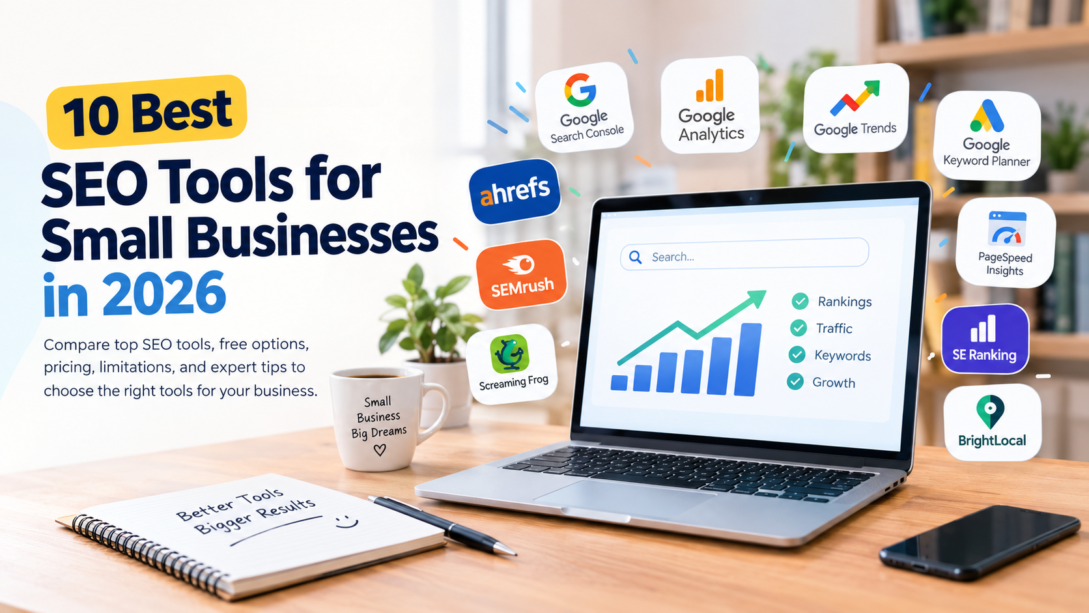
Small businesses do not need a dozen SEO subscriptions to get found in Google Search. They need the best SEO tools for small businesses to match specific jobs: finding keyword opportunities, tracking search performance, spotting website problems, and proving that the work pays off.
The best overall starting point is Google Search Console. It is free, it shows how your own pages perform in Google Search, and it makes a useful baseline before you spend anything on a paid platform. This guide compares 10 tools, shows what each one costs, explains where each one falls short, and ends with a monthly workflow and a quick decision guide.
Quick Comparison: 10 SEO Tools Side by Side
| Tool | Best fit | Key consideration / limitation |
|---|---|---|
| Google Search Console | Monitoring Google Search visibility, indexing, and organic performance | Not a full keyword research platform; reports focus on Google only |
| Google Analytics | Seeing what visitors do after they reach your site | Needs correct installation; conversion reports need properly measured events and goals |
| Google Trends | Comparing topic interest and seasonality | Normalized index, not exact monthly search volume |
| Google Keyword Planner | Keyword ideas and advertising estimates | Built for Google Ads; not an organic traffic forecast; basic access needs a Google Ads account with billing information |
| PageSpeed Insights | Checking page speed and user-experience performance | A score is not a full SEO audit and does not guarantee rankings |
| Screaming Frog SEO Spider | Technical audits: broken links, redirects, duplicate pages, metadata | Technical crawler only; free version limited to 500 URLs per crawl; needs some technical SEO knowledge |
| Ahrefs | Backlink and competitor research | Free account limited to verified sites; Starter and Lite limits differ widely |
| Semrush | Keyword research, competitor analysis, audits, and tracking in one platform | Costly if research is only occasional; free access has usage limits |
| SE Ranking | Ongoing rank tracking and recurring SEO workflows | No permanent free plan, only a 14-day trial |
| BrightLocal | Local SEO monitoring for location-based businesses | Specialized; not needed for a broad national audience |
Pricing and Free Access
| SEO tool | Free access | Pricing |
|---|---|---|
| Google Search Console | Yes | Free |
| Google Analytics | Yes | Standard version is free |
| Google Trends | Yes | Free |
| Google Keyword Planner | Basic access requires Google Ads account setup, including billing information | No separate SEO subscription |
| PageSpeed Insights | Yes | Free |
| Screaming Frog SEO Spider | Up to 500 URLs per crawl | £199/year |
| Ahrefs | Limited free account for verified sites | Starter $29/month; Lite $129/month |
| Semrush | Limited free access | $139/month or $117.33/month billed annually |
| SE Ranking | 14-day trial; no permanent free plan | $129/month or $103.20/month billed annually |
| BrightLocal | Free trial available | $41/month or $369/year ($31/month equivalent), one location |
Pricing note: Prices were reviewed on October 25, 2026, using official vendor information. Prices are in USD unless otherwise stated; Screaming Frog is priced in GBP. Prices may exclude taxes, and features or limits may change. Annual-billing equivalents are identified separately from monthly billing. Confirm current pricing before purchasing.
Official pricing references: Ahrefs, Semrush, Screaming Frog, SE Ranking, and BrightLocal.
Methodology and Testing Transparency
We chose tools that cover the main SEO tasks a small business may need, from monitoring search performance to auditing a website and researching competitors. Each tool was assessed against five criteria using publicly available product documentation and pricing information:
- Essential use case: What specific SEO task does the tool help with?
- Free access: Is there a genuinely free version, a limited free account, or only a temporary trial?
- Entry-level cost: What is the published price of the relevant entry-level plan, and is it billed monthly or annually?
- Limitations: Which usage caps or missing features should buyers understand?
- Small-business suitability: Is the tool appropriate for a beginner, a local business, a small website, or a team doing SEO regularly?
What we did and did not do: This is a feature-and-pricing comparison based on published vendor information. It is not an independently conducted hands-on test of all 10 products, and we do not claim that any tool was personally tested or that one product is best for every business. The recommendations reflect each tool’s stated use case, access limits, and cost.
Best Free SEO Tools
1. Google Search Console — Best Overall Free SEO Tool
Google Search Console shows how your pages appear in Google Search and helps you identify issues that may affect visibility. It is free.
- Search queries that generate impressions and clicks.
- Click-through rate and average search position.
- Page-level search performance.
- Indexing reports and selected technical issue reports.
- Links data and alerts about certain website problems.
Limitation: It does not replace a comprehensive keyword research platform, and its performance reports focus on Google rather than every search engine.
Best use: Set it up before paying for any SEO subscription. Review the Queries and Pages reports regularly to find pages gaining impressions, queries with low click-through rates, and content that may need improvement. Official source: Google Search Console Help.
2. Google Analytics — Best for Measuring Website Traffic
Google Analytics measures website and app activity, and its standard version is free. Search Console explains how people find your pages through Google Search; Analytics explains what happens after they arrive.
- Traffic acquisition by channel.
- Landing pages and engagement.
- Events and conversions configured for your business.
- User journeys and actions that may contribute to leads or sales.
Limitation: It requires correct installation and configuration. Conversion reports will not be useful unless the relevant events and goals are measured properly.
Best use: Run it alongside Search Console and track meaningful outcomes such as contact form submissions, purchases, or bookings. Official source: Google Analytics Help.
3. Google Trends — Best for Comparing Topic Interest
Google Trends lets you compare search interest across terms, locations, and time periods, which helps when deciding which topic deserves attention or when demand may change seasonally.
- Comparing related search terms.
- Reviewing rising and related searches.
- Comparing interest across locations.
- Investigating seasonal patterns before planning content.
Limitation: It uses sampled and normalized search-interest data. The index is not exact monthly search volume, so it cannot tell you how many times a keyword is searched.
Best use: Check direction and seasonality, then validate keyword opportunities with other research and your Search Console data.
4. Google Keyword Planner — Best for Keyword Ideas and Advertising Estimates
Google Keyword Planner is designed for Google Ads campaign planning. It suggests related keywords and provides estimates of search activity and advertising costs. Small businesses can use it to discover related keyword ideas, explore advertising search estimates, compare commercial terms, and build an initial list of topics for further SEO research.
Access clarification: Google requires account setup, including billing information, to access basic Keyword Planner features such as keyword ideas. This does not make it a separate paid SEO subscription. It is a Google Ads tool, and access and available data can depend on account setup and campaign activity.
Limitation: It is advertising-focused, and its estimates should not be treated as guaranteed organic traffic forecasts.
Best use: Treat it as a supporting research tool, not your only source for keyword selection. Check search intent, competitor pages, and the relevance of each keyword to your business before creating content. Official source: Use Keyword Planner.
5. PageSpeed Insights — Best for Website Performance Checks
PageSpeed Insights analyzes web pages and provides performance information for mobile and desktop experiences. Depending on the page and available data, it can help you investigate loading performance, interactivity, visual stability, and opportunities to improve page delivery and rendering.
Limitation: A performance score is not a complete SEO audit. A high score does not guarantee rankings, and applying every suggestion without understanding its impact can create unnecessary work.
Best use: Test important landing pages and article templates, and prioritize serious user-experience issues and real performance problems instead of chasing a perfect score on every page.
6. Screaming Frog SEO Spider — Best for Technical SEO Audits
Screaming Frog SEO Spider crawls websites and helps identify broken links, redirects, duplicate pages, and missing or problematic metadata. The free version can crawl up to 500 URLs per crawl. The paid licence is listed at £199 per year and removes the URL limit while unlocking advanced features.
For a small website, the free version may be enough for an initial audit. Larger websites or teams that need saved crawls, more configuration, or advanced features may benefit from the paid licence.
Limitation: It is a technical crawler, not a keyword research and rank-tracking platform, and its desktop software requires some familiarity with technical SEO concepts.
Best use: Inspect a website systematically, especially if you suspect broken links, duplicate metadata, redirect issues, or crawl problems. Official source: Screaming Frog SEO Spider pricing.
Best Paid SEO Tools
Paid software becomes more useful when you regularly research competitors, monitor many keywords, audit multiple websites, or need repeatable reporting. A subscription should solve a real problem rather than simply add more data to your workflow.
7. Ahrefs — Best for Backlink and Competitor Research
Ahrefs offers tools for researching backlinks, organic keywords, competing pages, and website health. Its free account and paid plans have significantly different access levels.
What Ahrefs Free includes (per Ahrefs’ official help documentation):
- Site Explorer: Up to 1,000 backlinks and keywords visible at once for a verified website.
- Site Audit: Up to 5,000 crawl credits per month per verified project.
- Web Analytics: Up to 1,000,000 events per project.
- Social Media Manager: Unlimited posts and channels, according to the listed free-account allowance.
- AI Content Helper: One document per month.
- SEO Toolbar: Domain Rating and URL Rating metrics, with other on-page features available.
Site Explorer and Site Audit access for website-specific analysis requires proof of ownership. The free account does not provide the same access to research tools and reporting as the paid plans.
| Plan | Listed price | Key distinction |
|---|---|---|
| Starter | $29/month | Entry-level paid access, including limited keyword research, rank tracking, and unverified-site analysis |
| Lite | $129/month | More research credits, historical data, tracked keywords, and reporting capabilities |
Ahrefs’ current plan comparison lists 200 monthly credits and 50 tracked keywords for Starter, versus 1,000 credits and 750 tracked keywords for Lite. Historical data, export options, and unverified-site limits also differ. These figures describe the listed plans and can change.
Pros: Deep backlink and competitor research; a free account that is useful for verified sites; a lower-cost Starter entry point ($29/month).
Cons: Ahrefs Free is not a substitute for the paid keyword research and competitor analysis features, and Starter and Lite have different limits, so check the current comparison before choosing.
Best use: Start with the free account if its verified-site features cover your needs. Upgrade only when you regularly need broader competitor research, more credits, historical data, or additional tracked keywords. Official sources: Ahrefs free account features, plan comparison, and Ahrefs pricing.
8. Semrush — Best All-Round SEO Research Platform
Semrush combines several SEO research functions. Depending on the plan, you can use it for keyword and competitor research, position tracking, site audits, organic visibility analysis, and SEO reporting. The official pricing page lists the SEO plan at $139 per month with monthly billing, or $117.33 per month billed annually, and Semrush also offers limited free access with usage restrictions.
Pros: Keyword research, competitor analysis, audits, and tracking in a single platform.
Cons: Paid plans can be expensive for a business that only needs occasional keyword research, free access has usage limits, and not every advanced feature is included in the base plan.
Best use: Consider it once SEO research is a regular part of your work. If you only publish a few pages each month, use free tools first and subscribe once you can name the recurring task that justifies the cost. Official source: Semrush SEO pricing.
9. SE Ranking — Best for Rank Tracking and Recurring SEO Workflows
SE Ranking provides keyword rank tracking, keyword and competitor research, backlink analysis, and website audits. Its Core plan is listed at $129 per month with monthly billing, or $103.20 per month billed annually. It offers a 14-day free trial but no permanent free plan, although some free tools are available separately.
Pros: Ongoing rank tracking alongside research and audits; a trial to evaluate it first.
Cons: A trial is temporary access, not a free plan, and the subscription may be unnecessary if you only need occasional checks on a small website.
Best use: Compare it with Semrush before buying either one. If both cover the tasks you need, choose one rather than paying for overlapping subscriptions. Official source: SE Ranking plans and pricing.
10. BrightLocal — Best for Local SEO
BrightLocal focuses on local SEO, with tools related to local rankings, business listings, and local search visibility. For the Track plan covering one location, the vendor lists $41 per month on monthly billing, or $369 per year (equivalent to $31 per month) on annual billing. Pricing varies by plan and the number of locations managed.
Pros: Built specifically for local rankings, listings, and location-focused reporting.
Cons: It is a specialized local SEO platform. A business targeting a broad national audience may not need its location-specific features.
Best use: Consider it if local rankings and location-based reporting are central to your marketing. If you serve one area and are just starting out, begin with Google Business Profile and Search Console before adding a paid platform. Official sources: BrightLocal pricing and BrightLocal pricing help.
How to Choose by Business Type and Budget
The right combination depends on your website, business model, and how often you do SEO work.
| Your situation | Start with | Add only when |
|---|---|---|
| $0 budget | Search Console, Analytics, Trends, PageSpeed Insights; Screaming Frog free for crawls up to 500 URLs; Ahrefs Free for a verified website | You need data or features these tools cannot provide |
| Local service business (plumber, electrician, dentist) | Google Business Profile, Search Console, Analytics, PageSpeed Insights. Keep business details accurate, make service and location information clear, and measure calls, form submissions, and bookings | You need more detailed local ranking or listing management (BrightLocal). Do not buy it just because you have a physical location |
| Small online store | Search Console for queries and page performance, Analytics for shopping activity, Screaming Frog as your catalogue grows | You need regular competitor analysis or broader keyword research across many product categories (Ahrefs or Semrush) |
| Regular SEO work | One main paid platform chosen for the work you actually do: Semrush for broad research, Ahrefs when backlink and competitor analysis matter most, SE Ranking for recurring tracking and reporting | You find a specific capability the platform lacks. You do not automatically need two all-in-one platforms |
Practical Monthly SEO Workflow (Free Tools)
Buying tools is not the same as doing SEO. This process uses only the free tools above and can be repeated every month.
- Set up measurement (once, then check monthly). Set up Search Console and Analytics. In Analytics, configure the outcomes that matter to your business, such as contact form submissions, purchases, or bookings.
- Find visible pages that get few clicks. In Search Console, open the Queries and Pages reports and look for pages with impressions but few clicks. Check whether the title and description accurately represent the page, and revise them if not. For pages with little visibility, review relevance, content quality, indexing status, and competition before deciding what to change.
- Check your key pages for performance problems. Run PageSpeed Insights on important landing pages and article templates. Fix serious user-experience and performance problems first, and do not make technical changes only to raise a score.
- Run a technical crawl. Crawl your site with the free version of Screaming Frog (up to 500 URLs). Prioritize broken internal links, unintended indexing blocks, confusing redirects, and duplicate metadata on important URLs.
- Validate keywords before you write. Use Google Trends for direction and seasonality and Keyword Planner for related ideas. Then search the keyword yourself and note whether searchers want a guide, a product comparison, a local service, or a specific answer. Do not choose a keyword solely because a tool reports high search volume or a high advertising cost.
For additional options, explore our guide to the best AI tools for small businesses in 2026 to see how AI tools can support your research and content workflow. - Review business outcomes. Use Analytics to check leads, purchases, bookings, or qualified enquiries. Judge performance over time rather than expecting a new article or technical fix to produce immediate results.
- Decide whether to upgrade. Before buying a subscription, ask: Which task takes too much time? What information can I not get with my current tools? How often will I use the paid feature? Will it improve a business decision or make recurring work more efficient? Is the benefit worth the recurring cost? If you cannot answer clearly, keep your current tools and revisit later.
Common mistakes to avoid: paying for overlapping tools; treating third-party estimates as facts; expecting tools to rank you automatically; buying too early; and ignoring the time it takes to act on recommendations.
Quick Decision Guide
| If your situation is… | Choose | Keep in mind |
|---|---|---|
| Zero budget | Search Console + Analytics + Trends + PageSpeed Insights, with Screaming Frog free and Ahrefs Free as extras | These cover many essential tasks without a subscription |
| Technical errors (broken links, redirects, duplicate metadata) | Screaming Frog (plus PageSpeed Insights for performance) | Free crawl limit is 500 URLs; £199/year removes it |
| Not sure which queries and pages bring Google traffic | Google Search Console | Google only |
| Competitor and backlink analysis | Ahrefs, starting with the free account for a verified site | Starter ($29/month) and Lite ($129/month) differ widely |
| Broad, regular SEO research in one place | Semrush | $139/month, or $117.33/month billed annually |
| Ongoing rank tracking and reporting | SE Ranking | $129/month, or $103.20/month billed annually; compare with Semrush and pick one |
| Local rankings and listings | BrightLocal | $41/month for one location; start with Google Business Profile and Search Console if you are just beginning |
Frequently Asked Questions
What are the best SEO tools for small businesses?
For most small businesses, Google Search Console, Google Analytics, Google Trends, and PageSpeed Insights are useful starting points. Screaming Frog and Ahrefs Free add technical and SEO analysis. Paid platforms such as Semrush, Ahrefs, SE Ranking, or BrightLocal are worth considering when their specific features meet a recurring need.
Can a small business do SEO for free?
Yes. Free tools can monitor search performance, analyze website traffic, compare topic interest, and check technical issues. A paid subscription is not a prerequisite for beginning SEO, although advanced research or additional data may eventually require paid features.
Which SEO tools are best for beginners?
Google Search Console is a strong starting point because it gives direct information about your website’s performance in Google Search. Google Analytics and PageSpeed Insights cover other important tasks. Beginners should learn what each tool measures before adding more advanced software.
Is Google Keyword Planner really free?
It is not a separate paid SEO subscription, but Google requires account setup, including billing information, to access basic features such as keyword ideas. It is a Google Ads tool, so access and available data can depend on account setup and campaign activity, and its estimates should not be treated as guaranteed organic traffic forecasts.
Is paid SEO software worth it for a small business?
It can be worth the cost when the business regularly needs competitor research, extensive keyword analysis, rank tracking, technical audits, or reporting. The decision depends on the tasks involved and the value of the time saved. A paid tool is not automatically necessary for every small business.
Do you need both Semrush and Ahrefs?
No. Both offer overlapping SEO research capabilities, although each has its own strengths and plan limits. Most small businesses should choose one if they need a paid platform, then add another only when a specific capability justifies the extra expense.
How much should a small business spend on SEO tools?
There is no universal budget. Set spending according to the SEO tasks you perform, how often you need the software, and the value it provides. Compare the recurring cost with the time saved and the features you cannot get from your existing setup, and review the expense periodically.
Final Verdict
Start with Google Search Console and Google Analytics, add Google Trends, PageSpeed Insights, and the free version of Screaming Frog as needed, and build a consistent monthly workflow before spending on software. Choose a paid platform such as Ahrefs, Semrush, SE Ranking, or BrightLocal only when its features address a specific, recurring need, and pick one primary platform rather than paying for overlapping subscriptions.